Skip to content

What AquaLoad is

Node-RED paletteAquaLoad

Hardware

GeyserPump / relay
StatusTempPowerEnergy

Victron VRM
Home Assistant

AquaLoad is a Node-RED palette. Hardware, logic, Coordinator and the screens all run in that palette.

How it works

Full control on the screen you already open.

No new apps to install.

Day-to-day control is the screen you already open. Victron VRM, the GX Remote Console or Home Assistant. Not the Node-RED editor. Remote Console is the on-site GX screen (Touch 50, Touch 70 or Ekrano) opened from VRM. Same interface.

The panel

Any device, app or fixed screen.

Multiple modes, multiple heating methods, adjustable temp values, all from your preferred device.

  1. 1

    Off, On, Auto

    Mode. Auto runs the heating methods. On is Force On. Off stops the load.

  2. 2

    Operating Mode

    Status only. Shows why the load is on or off.

  3. 3

    Display settings

    Shows or hides the extra sliders.

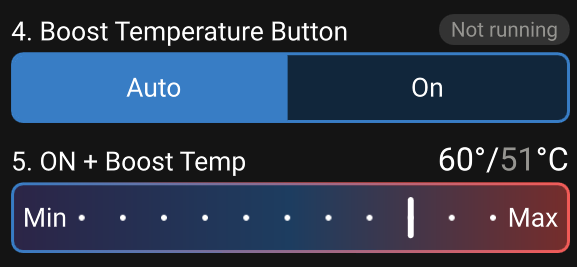
  4. 4

    Boost Heat

    Once-off to a set temp. Turns itself off when the tank reaches it.

  5. 5

    On and Boost temp

    Target used for Force On and for Boost.

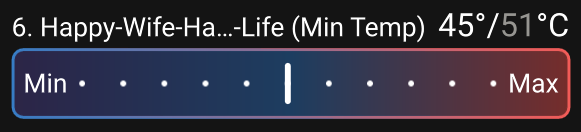
  6. 6

    Min temp

    Happy-Wife-Happy-Life. Comfortable shower, not a high temp.

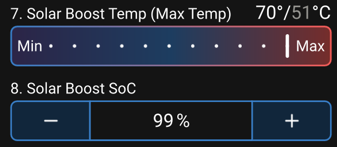
  7. 7

    Max temp / Solar Boost

    Solar dump. Heat that far once battery SoC allows it.

  8. 8

    Solar Boost SoC

    Minimum battery percent before solar dump may run.

GX geyser panel

Expanded geyser Virtual Switch on the GX Remote Console.

Functions

What you can do from that screen.

Off, On, Auto

Three functions, not a slogan.

  • AUTO runs the automated heating methods.
  • ON holds a set temp.
  • OFF stops the load.

Everyday use is Auto.

VRM is one place to open the switches. Remote Console is the same GX screen you see on a Touch 50, Touch 70 or Ekrano.
VRM

Off On Auto on VRM Virtual Switches.

Remote Console / GX

The same Off On Auto panel on Remote Console, the GX screen.

Force On

Force On on the GX geyser panel.

Force Off

Force Off on the GX geyser panel.

Heating methods

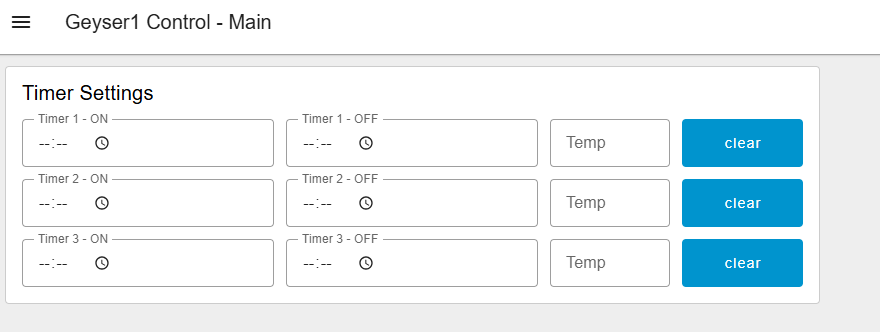
These run in Auto. Boost, min temp, solar dump to a max temp, and timers. Timer is on the Node-RED dashboard, not on the Virtual Switch.

VRM

Heating method sliders on VRM.

Remote Console / GX

The same heating methods on Remote Console, the GX screen.

Temperature displays

Geyser temps on VRM and on the GX. Fish tanks and the kitchen Ruuvi are this house. Any load can show here.

VRM

Geyser temperatures on the VRM dashboard.

Remote Console / GX

The same temperatures on the GX Levels view.

How it is controlled

Same panel in two places: Virtual Switches on VRM, or Remote Console (the on-site GX screen).

VRM

Opening Virtual Switches on VRM.

Remote Console / GX

The same switches on Remote Console.

Heating methods

  • Boost

    Once-off to a set temp. Fire and forget.

    Boost Temperature button and On plus Boost temperature slider.
  • Min temp

    Happy-Wife-Happy-Life. Comfortable shower, not a high temp.

    Happy-Wife-Happy-Life minimum temperature slider.
  • Max temp

    Solar dump. Heat that far once battery SoC allows it.

    Solar Boost maximum temperature and Solar Boost SoC.
  • Timer

    Up to three slots, each with its own temp. This house does not use them.

    Node-RED dashboard timer settings with three empty slots.

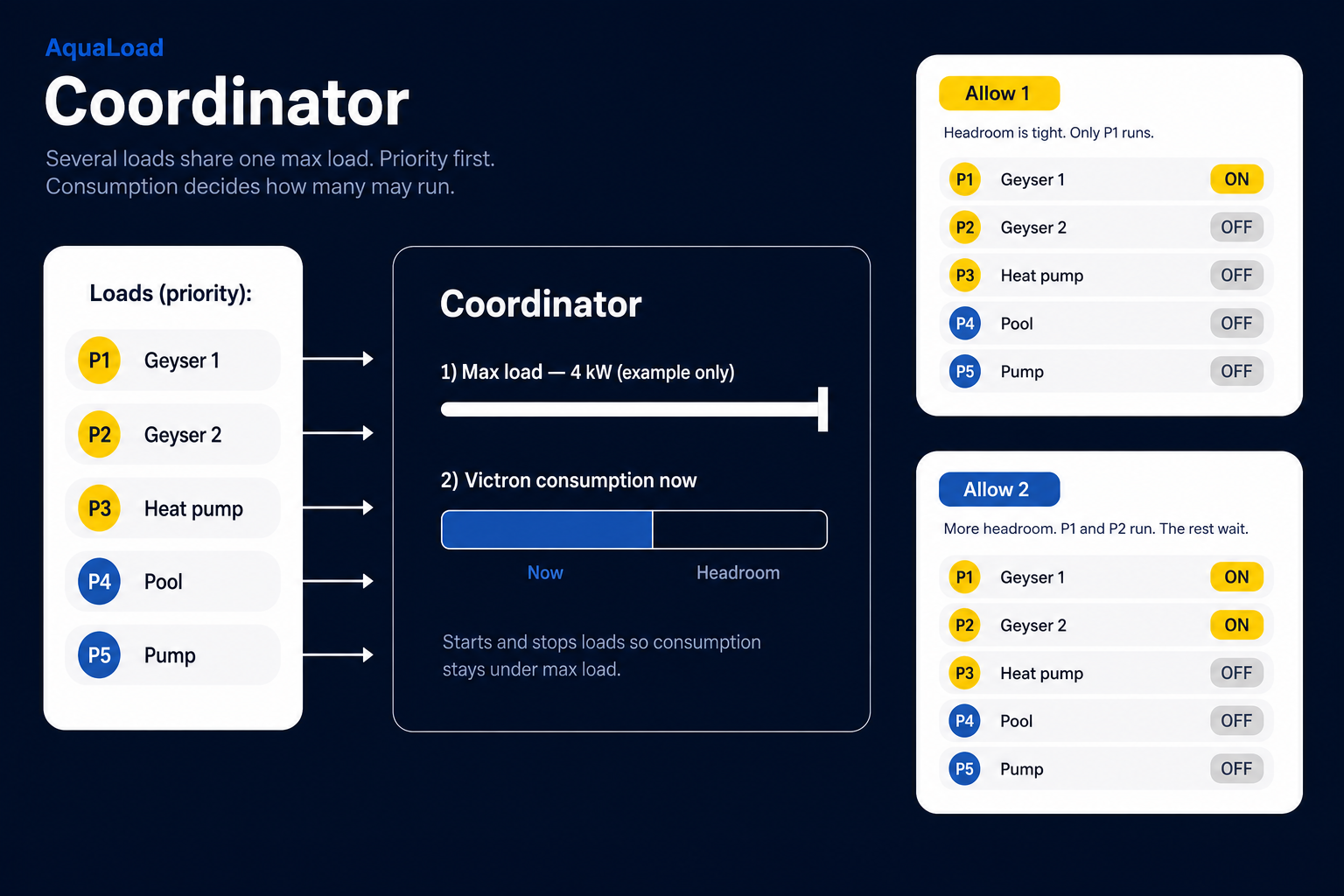
Several loads, one Coordinator

Priority, max load, how many may run.

Add several loads on one Node-RED host. The Coordinator starts and stops them from the priority you set, the max load and current consumption. It does not use battery SoC.

AquaLoad Coordinator: five loads in priority, a max-load bar, and two outcomes. Allow 1 when headroom is tight. Allow 2 when there is more room.